Describe your business — the AI builds your bio page in a minute.
One sentence about what you do, and woox.be drafts the whole page — buttons, WhatsApp, catalog, colours. You review it and publish. Every button is a real short link with its own QR code, and every tap is counted.
Free plan · 3 AI generations a month · No credit card required
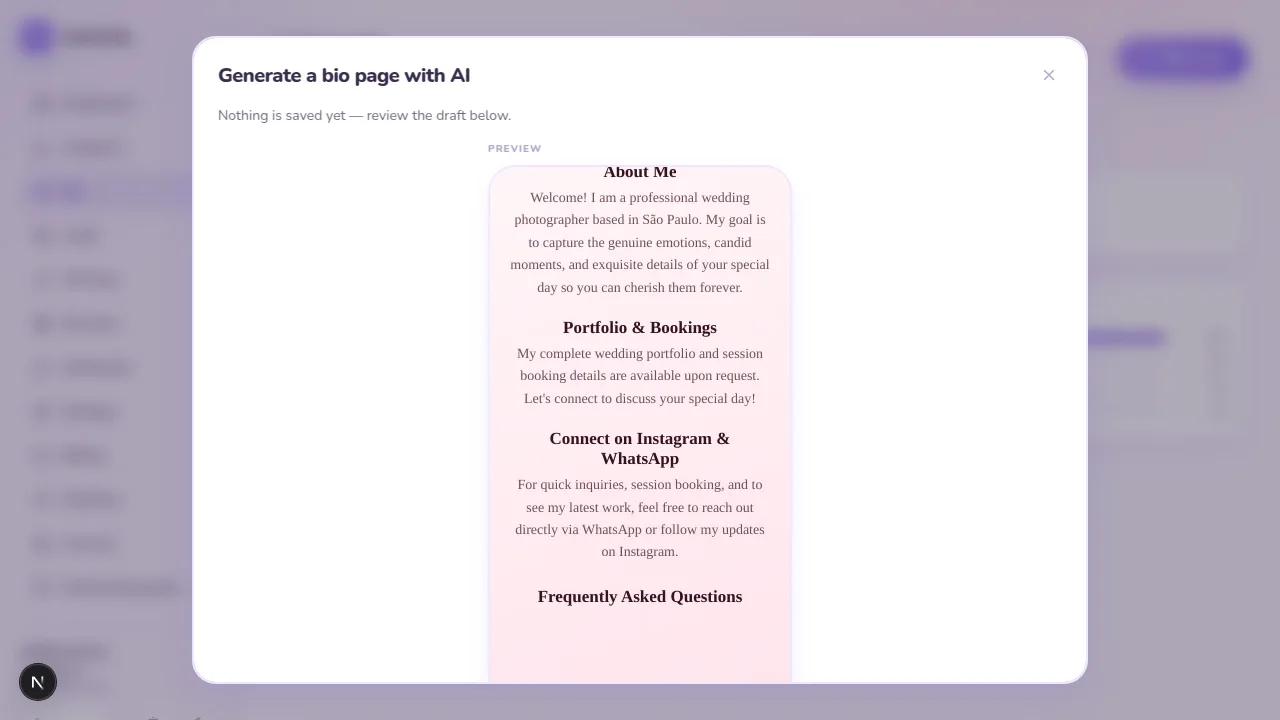
- Describe your business in one sentence
- The AI drafts the whole page
- Preview it — nothing is saved yet
- Save to draft — the live page doesn't change
- Publish puts it live and records v1
- Ready to share, with analytics on every tap
- Edited again? Publishing creates v2 — v1 is still there
Built-in AI
Three ways the AI does the work
It drafts. You decide. Nothing goes live until you press Publish.
Describe it
One sentence — 'photographer in São Paulo, portfolio, WhatsApp and Instagram' — and you get a full page: buttons, sections, socials and a theme.
Import a page you already have
Paste your Linktree-style URL. The AI reads it and rebuilds it here, so moving over takes a minute instead of an evening.
Optimise with your own numbers
Once clicks come in, the AI reorders and rewrites the page based on what people actually tap.
Every mode produces a draft you preview first. Applying fills your working copy; publishing it is a separate, explicit click.
Already use an AI agent? Let it build the page.
woox.be publishes an installable skill, woox-bio-pages. Your own agent drafts, previews and applies pages through the public API — the inference runs on your side, so it uses none of your monthly allowance.
Link in bio
One page for everything you share
Build a branded mini-site from blocks, watch it render live as you type, and get every tap counted in the same analytics as your short links.
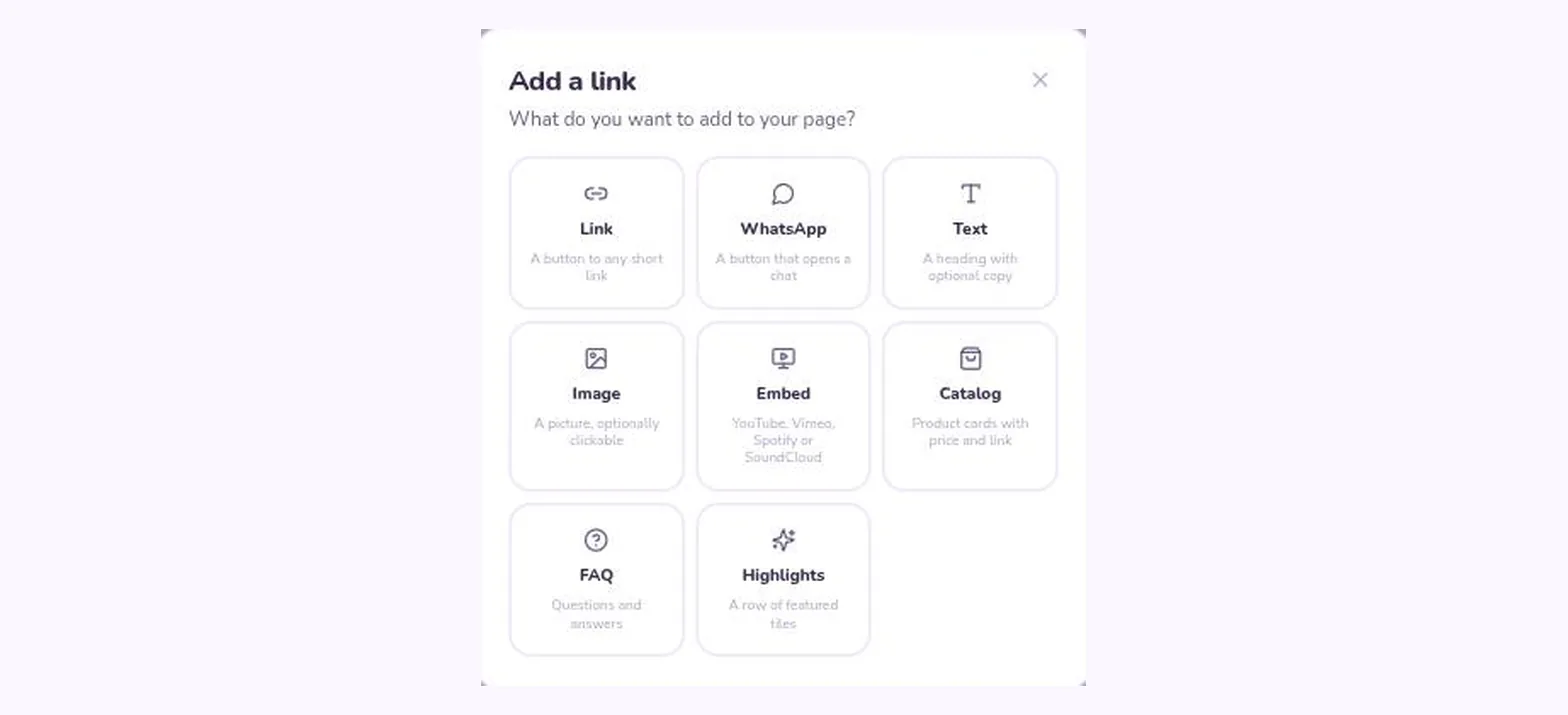
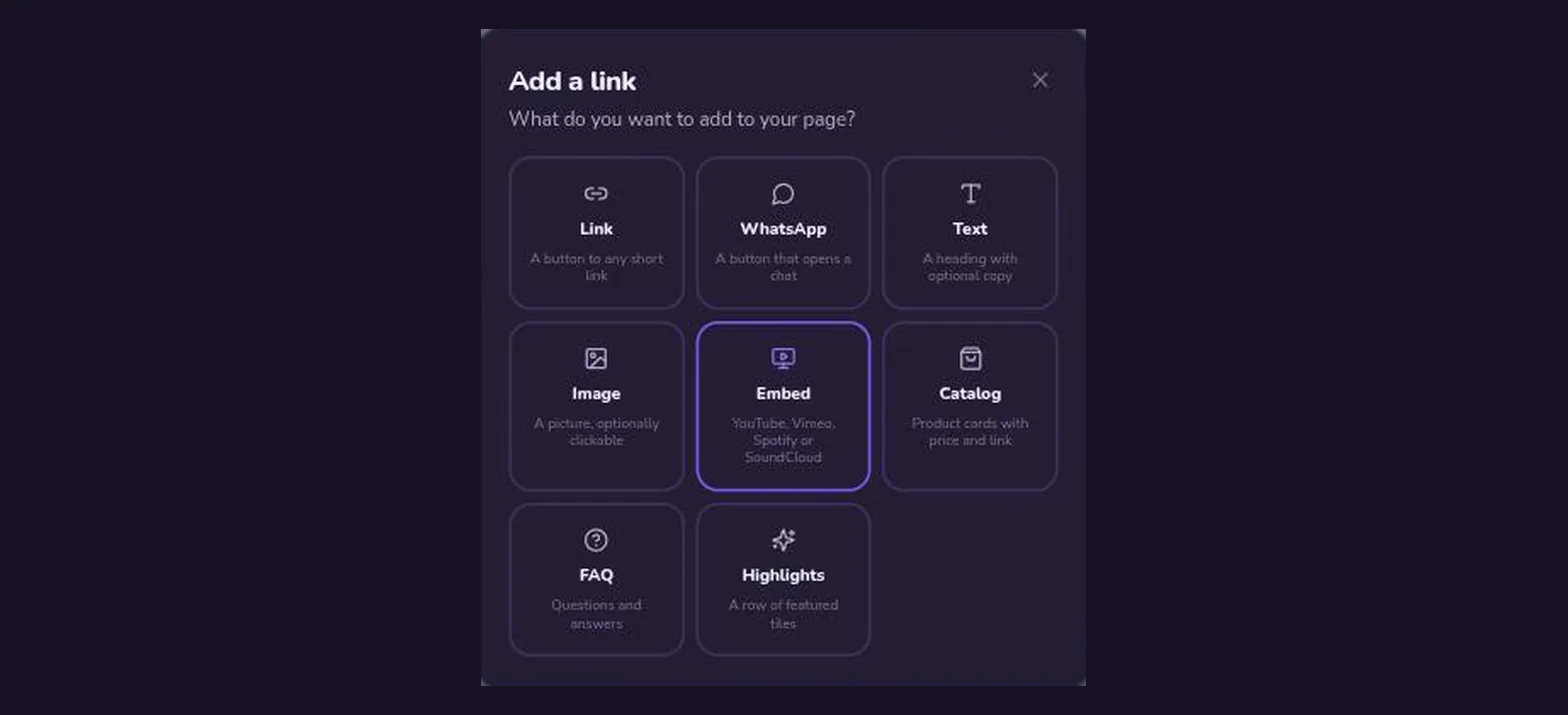
- Eight kinds of blockLink buttons, text, images, video and music embeds, a product catalog, an FAQ and a highlights row.
- WhatsApp click-to-chatDrop in your number and a prefilled message. It becomes a tracked short link, so you see exactly how many chats it started.
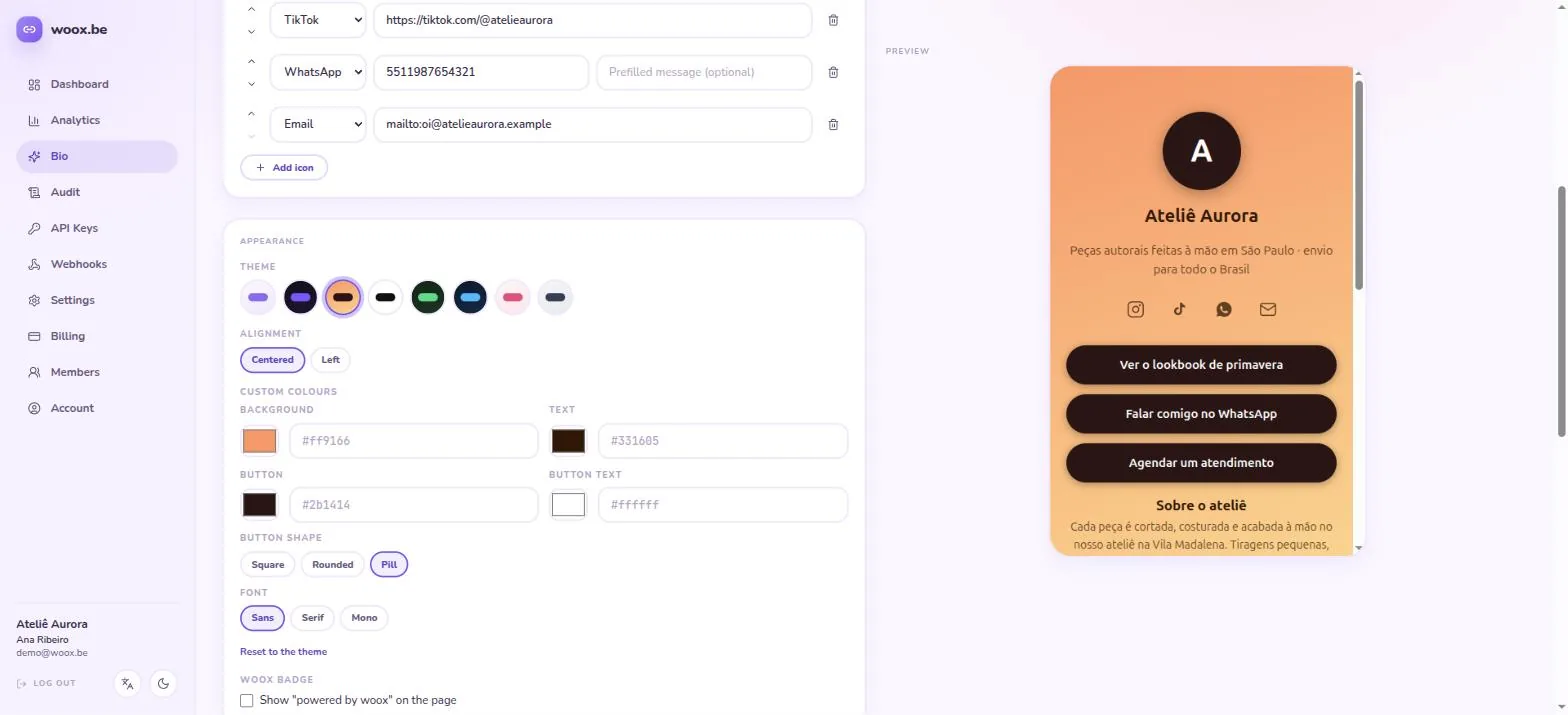
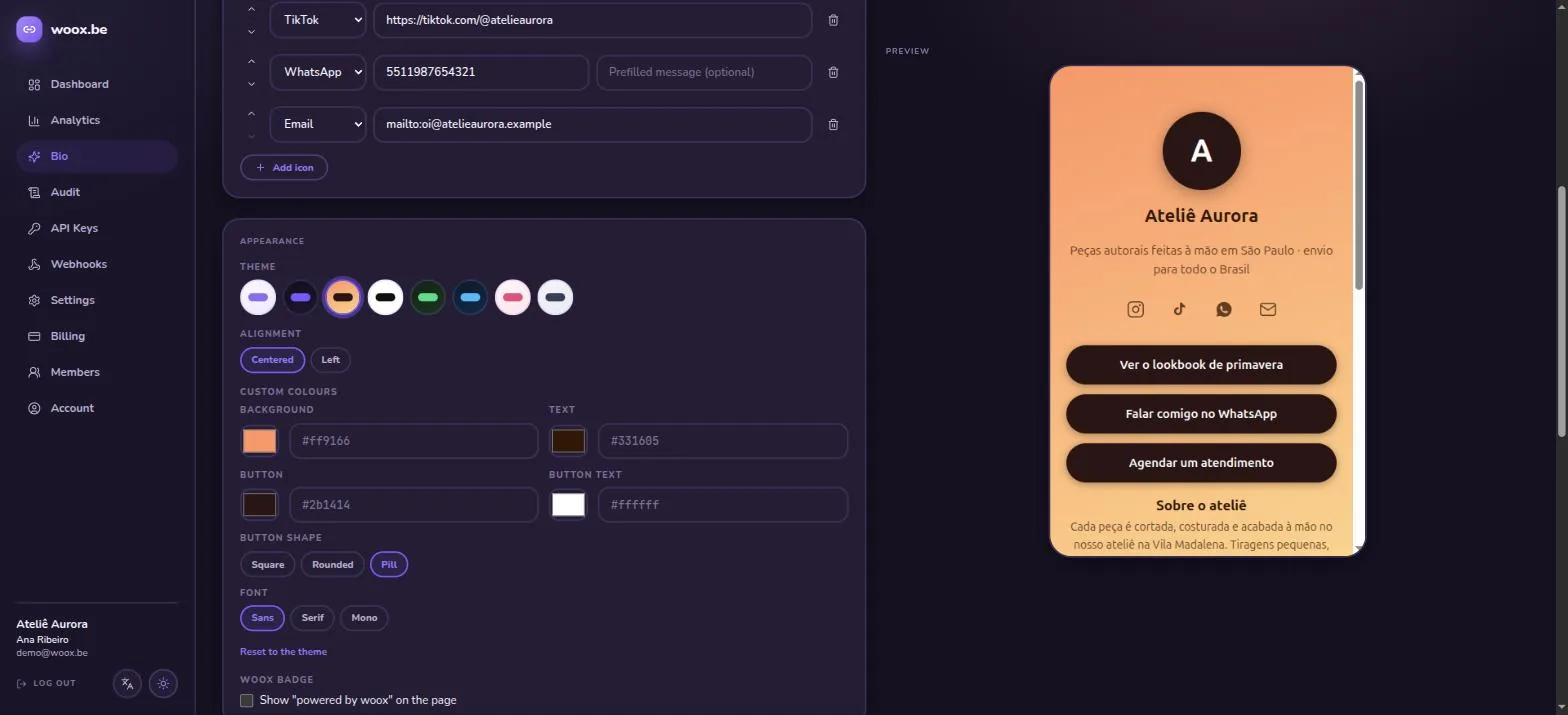
- Eight themes, or your ownPick a preset, or set your own colors, button shape and font — and drop the woox badge on paid plans.
- Draft now, publish when readyEdits autosave to a private draft — the live page only changes when you hit Publish, and every publish is kept as a version you can restore.
- Stats for the page itselfViews, unique visitors and click-throughs on every social icon, broken down per platform.
- Share previews, generatedEvery page ships an automatic social card, so a pasted link looks right on WhatsApp, X and LinkedIn.
Features
Everything a link needs
Short links
Custom codes, your own subdomain, a built-in UTM builder with saved presets, and an on/off switch per link.
Link in bio
A branded mini-site built from blocks — run several pages at once, each with its own theme and stats.
Click analytics
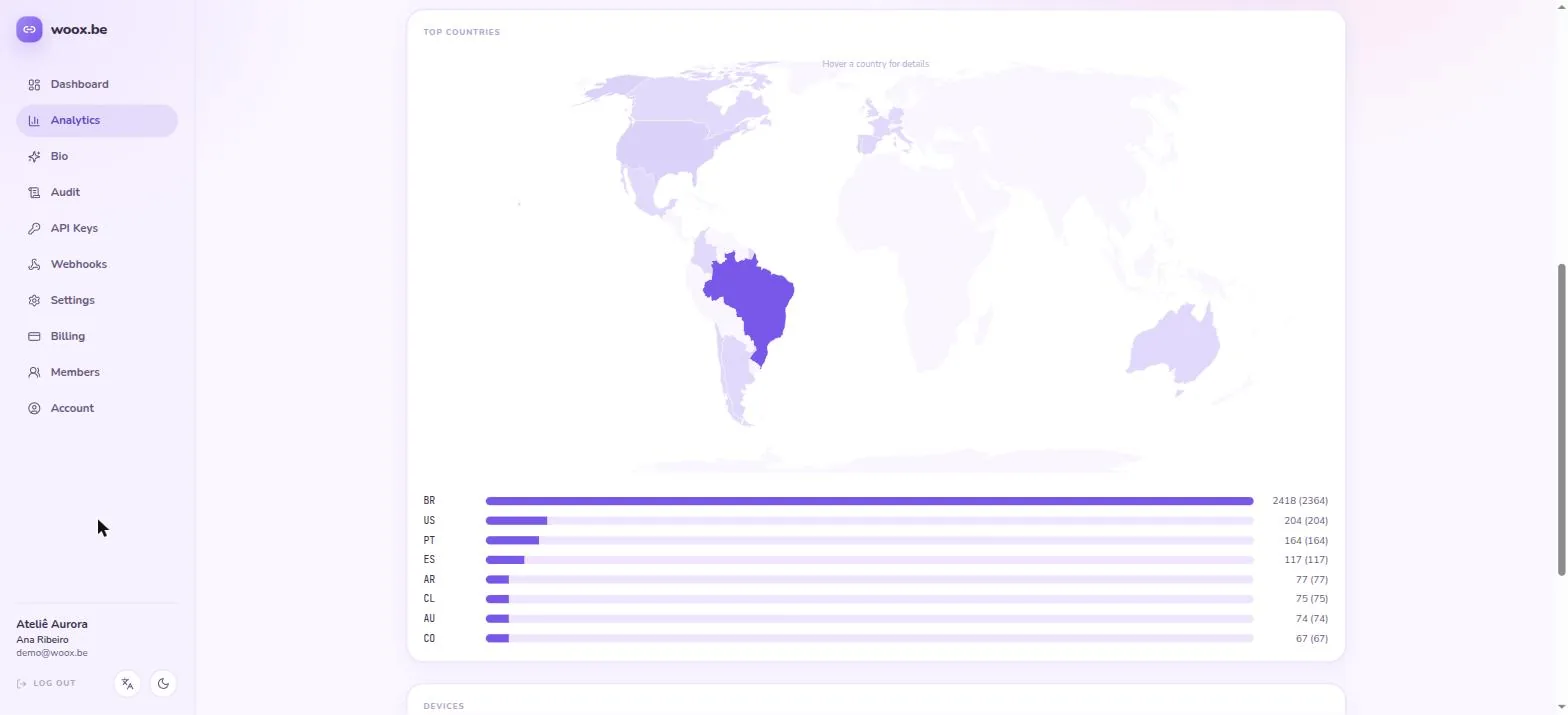
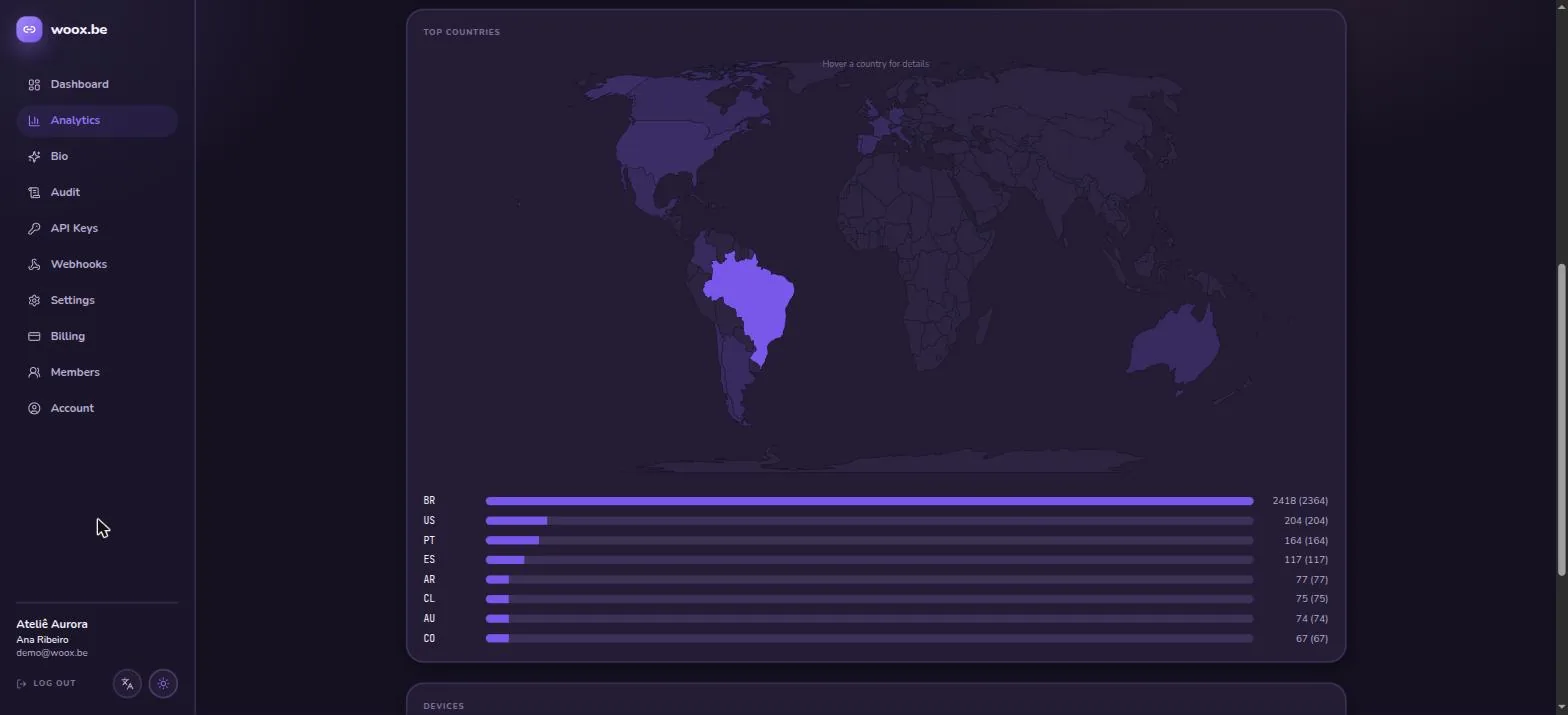
Country map, devices, browsers, referrers and peak hours — clicks and unique visitors landing as they happen, with CSV and PDF export.
Styled QR codes
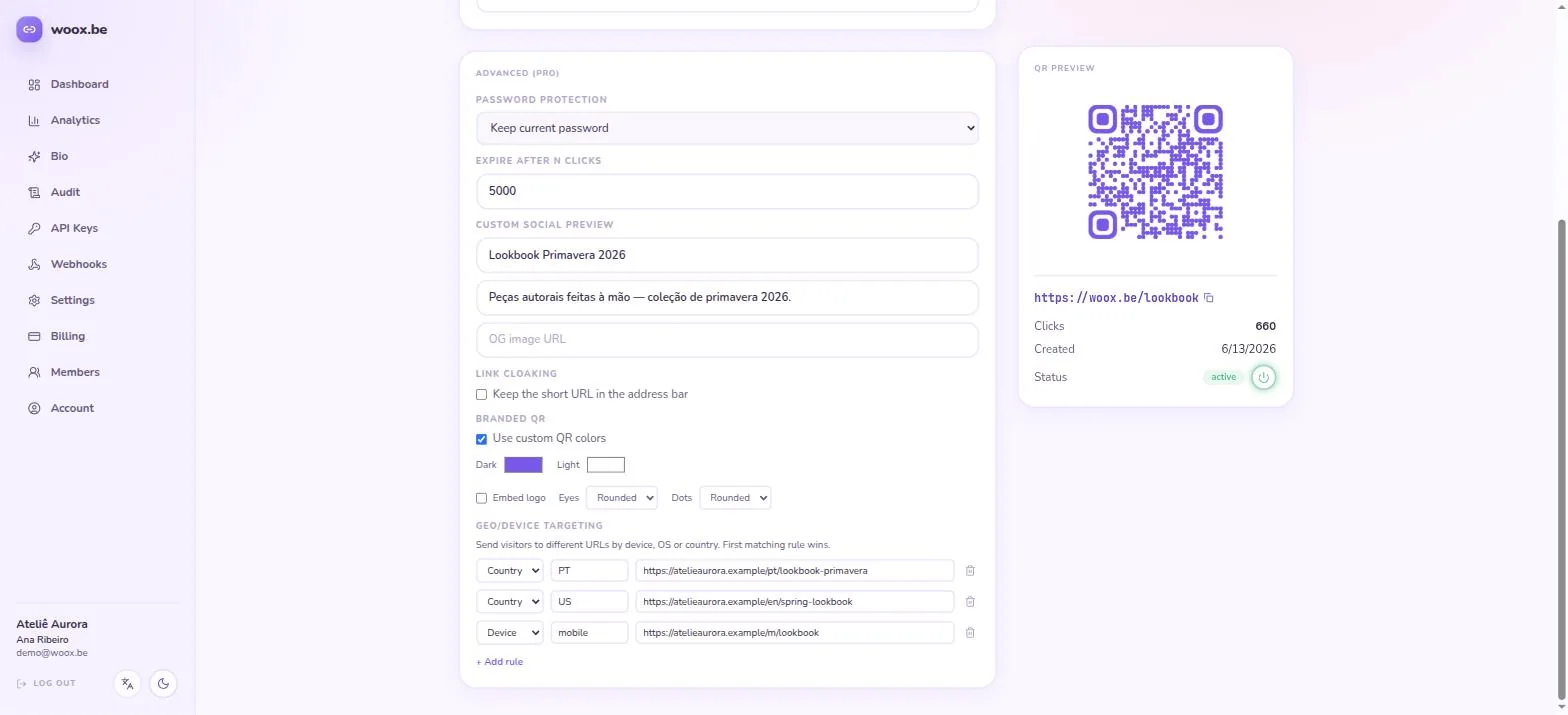
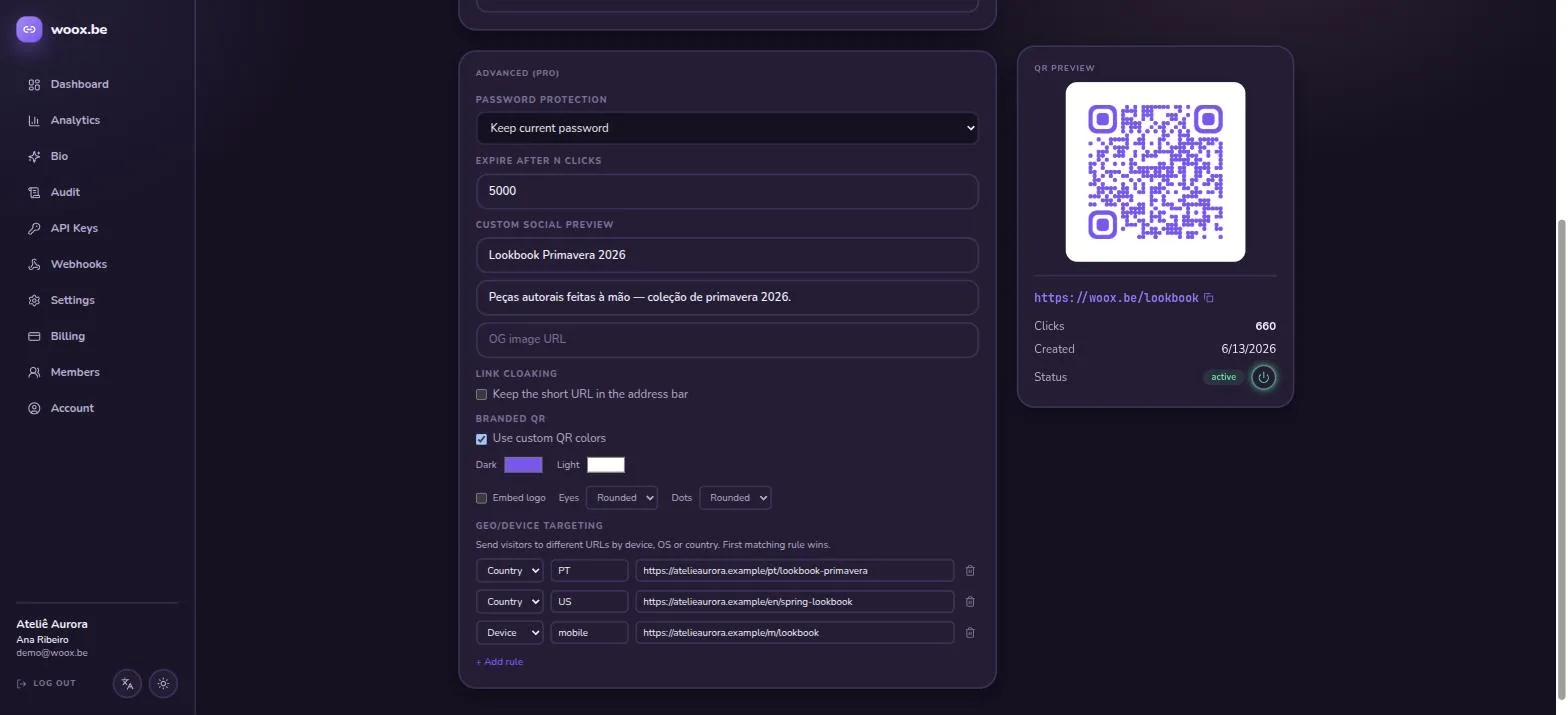
Brand colors, center logo and module shapes — scans are tracked separately from clicks.
Smart targeting
Route the same link by country, device or OS — each visitor lands where they should.
Password-protected links
Lock a link behind a password, set a custom social preview or cloak the destination.
Expiry & click caps
Expire links by date or total clicks — they shut off automatically when the campaign ends.
Your brand, everywhere
Short links on your own domain (go.acme.com), plus logo, wallpaper and brand colors across the dashboard, QR codes and bio pages.
API & webhooks
Per-tenant API keys on every plan; signed event webhooks for links and clicks from Pro.
Drafts & version history
Bio pages autosave to a draft and go live only when you publish — every publish is kept as a numbered version you can preview and restore.
Audit trail
A hash-chained, tamper-evident log of every change made in your workspace.
Team & roles
Invite members by email and grant granular permissions — links, analytics, billing, settings.
See it in action
Real screens, not mockups
How it works
Ready in three steps
Describe your business
Sign up free and tell the AI what you do — it drafts your page. Prefer to build by hand? The editor is right there.
Share anywhere
Share your page, its buttons or their QR codes across print, social or campaigns.
Watch the clicks
Follow taps on the page and clicks on every link by country, device and source, in real time.
Pricing
Simple pricing that grows with you
Start free, upgrade when you need more.
Free
For personal projects
- 3 AI page generations a month
- 25 short links
- 5,000 clicks per month (soft limit)
- QR codes & click analytics
- 2 team members · 1 API key
- 1 bio page · 10 blocks (links, text, images) with page stats
Pro
For creators and professionals
- 30 AI page generations a month
- 1,000 short links
- 100,000 clicks per month (soft limit)
- Geo, device & OS targeting
- Password, custom social preview & cloaking
- Styled QR codes & signed webhooks
- 10 team members · 10 API keys
- 5 bio pages · unlimited blocks · embeds, catalog, FAQ & highlights · custom theme · no badge
Business
For companies and agencies
- Unlimited AI page generations
- Unlimited short links
- 1,000,000 clicks per month (soft limit)
- Everything in Pro
- 50 team members · 50 API keys
- Unlimited bio pages & blocks
Prices in USD. Click allowances are soft limits — we warn you as you approach one, we don't break your links. Upgrade, downgrade or cancel any time from the billing page in the app. Already have an AI agent? The woox-bio-pages skill builds pages through the API on any plan — the inference runs on your side and uses none of your monthly allowance.
FAQ
Frequently asked questions
Is there a free plan?
Yes — the Free plan includes 25 short links, 5,000 tracked clicks per month, QR codes, analytics and a bio page. No credit card required.
How does the AI build my page?
Describe your business in a sentence, paste a page you already have somewhere else, or — once you have traffic — let it rework the page around what people actually tap. Every mode returns a draft: you see the page rendered before anything is saved, applying it only fills your working copy, and your live page changes when — and only when — you press Publish.
Do I need my own AI key?
No. Every plan includes a monthly allowance of AI generations, and failed generations don't count against it. If you already run an AI agent, install our woox-bio-pages skill instead: your agent builds pages through the public API, the inference runs on your side, and it uses none of your allowance.
What happens if I go over my click allowance?
Nothing breaks. Click allowances are soft limits: we show a warning in the app as you approach one, but your links and bio pages keep redirecting. We would rather tell you to upgrade than drop your traffic on the floor.
Do short links expire?
Only if you want them to. Links stay active by default; you can set an expiry date or a maximum click count per link.
Is there an API?
Every plan includes API keys, and the REST API covers links, QR codes and analytics. Outbound webhooks — signed, so you can verify they came from us — notify your systems on link changes and clicks from the Pro plan up.
How does QR tracking work?
Each QR code encodes your short link with a scan marker, so scans show up in analytics separately from regular clicks — and you can restyle the code without reprinting.
What can I put on my bio page?
Link buttons, text sections, images, YouTube/Vimeo/Spotify/SoundCloud embeds, a product catalog, an FAQ and a highlights row. Free plans include 10 blocks per page; Pro unlocks unlimited blocks and the rich block types. Every visit and link click is tracked in your analytics.
Can people message me on WhatsApp from my bio page?
Yes. Add a WhatsApp block with your number and a prefilled message, and woox.be creates a tracked short link behind it — so you can see how many conversations the page actually started.
Can I invite my team?
Yes. Invite members by email and choose exactly what each one can do — create links, read analytics, manage billing, change settings. Free includes 2 members, Pro 10 and Business 50.
Do you count bots?
Not by default. Traffic identified as automated is flagged on the way in and excluded from your dashboard, so the numbers you report are people. You can toggle bots back on if you want the raw totals.
How does billing work?
Payments are handled by Stripe. You can upgrade, downgrade or cancel any time from the billing page in the app.
Create your free account
Describe your business and your page is live in a minute — short links, QR codes and analytics included.